 Crated
Feature
Shipment management
Every shipment from creation to delivery — visible, actionable, and connected to carrier events in real time.
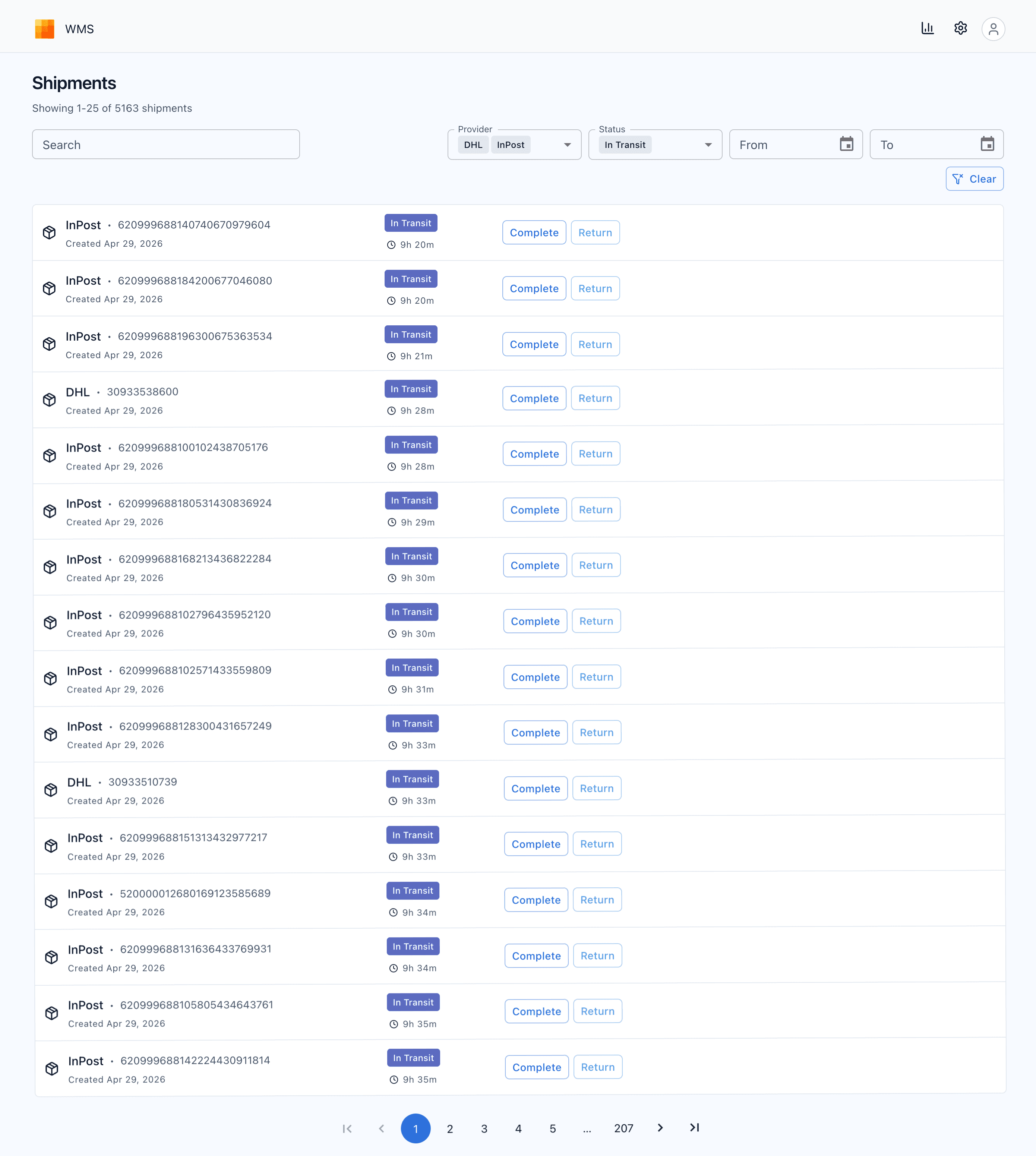
Shipments list — filters, status badges, paginated results, and inline transition actions
Smart filters
Search by tracking number or any field in the shipment data payload. Filter by provider (multi-select), status (multi-select), and creation date range — all combinable. Active filters show a clear button.
Status lifecycle
Shipments flow through a state machine: New → In Transit → Completed, Returned, or Cancelled. Transitions are enforced — only valid next states are offered as actions.
Inline quick actions
Complete, Return, or Cancel a shipment directly from the list row — no need to open the detail view. Each row also shows time elapsed in the current status.
Status & timing
Color-coded status badges and live elapsed time for every shipment at a glance. Completed shipments show total duration; active shipments show a running counter from creation.
Paginated results
Server-side pagination handles large volumes without performance degradation. Page through hundreds of shipments while keeping filters active.
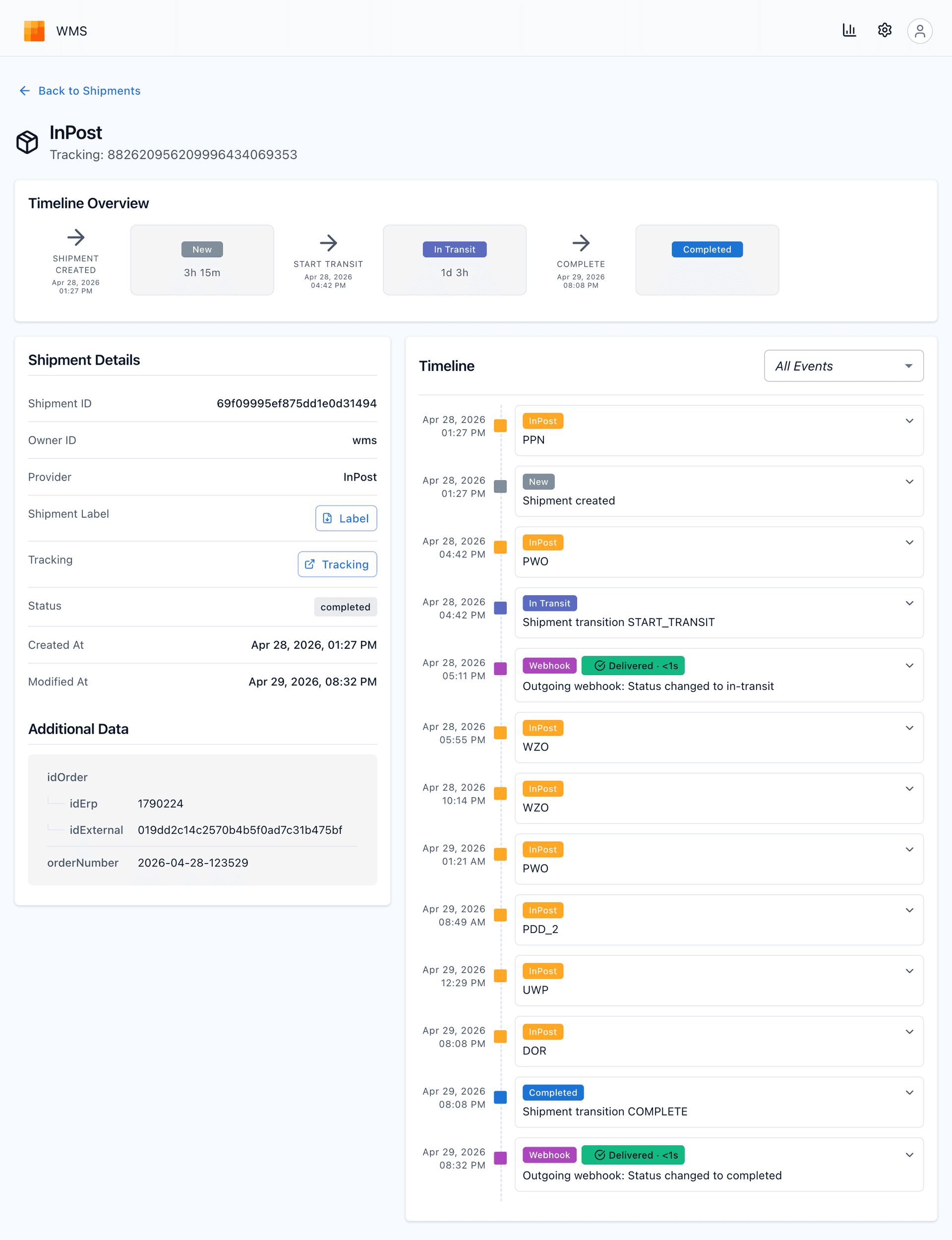
Shipment detail — timeline overview, carrier event stream, webhook deliveries, and label download
Timeline overview
A horizontal status graph shows every transition with exact timestamps and duration spent in each status. Hover any status card for a tooltip: when it was entered, how long it stayed, when it left. Active states show a live spinner.
Event timeline
A chronological stream of every event: carrier scan codes (PPN, PWO, WZO for InPost; provider codes for DHL, DPD), shipment status transitions, and outgoing webhook deliveries. Filterable by category — All Events, Shipment, Provider, Webhook. Each event expands to show raw event data.
Label & tracking
Download the carrier label as PDF with one click. Open the carrier tracking page in a new tab directly from the detail view. Both actions are available immediately after shipment creation.
Additional data
Attach arbitrary JSON metadata when creating a shipment — order IDs, external references, ERP fields. The data is stored, searchable via the phrase filter, and rendered as a readable tree in the detail view.